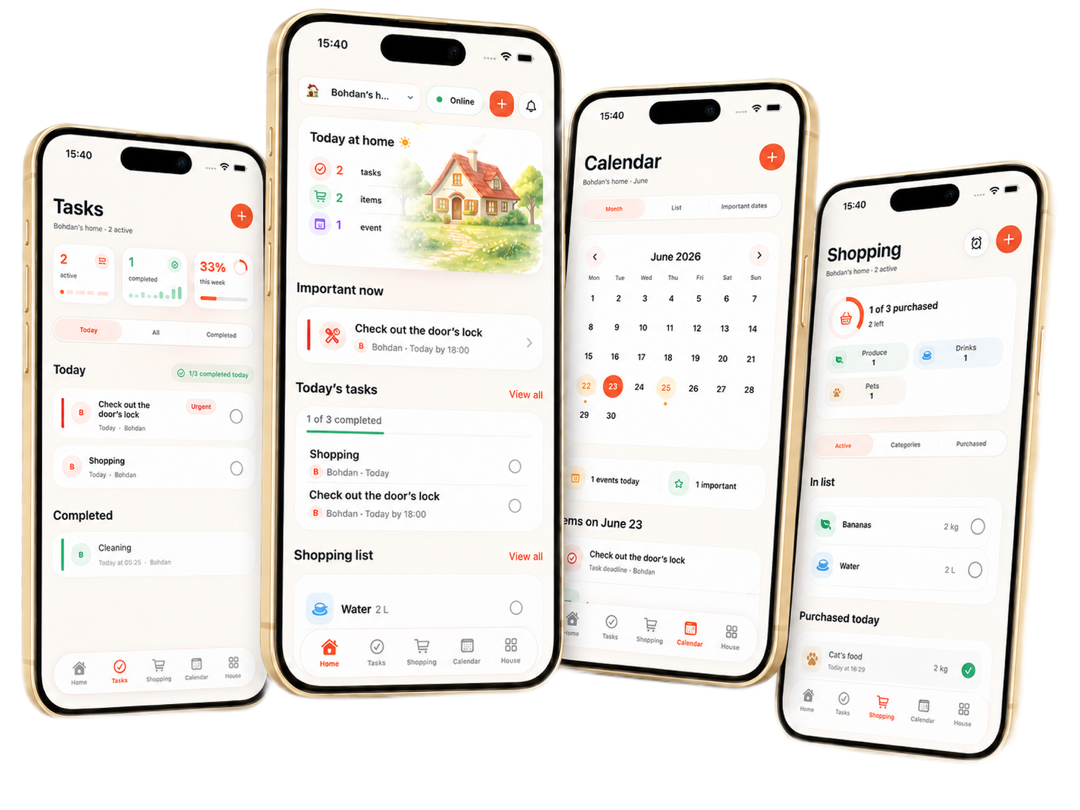
More than a todo list
Manage tasks together with assignees, due dates, and priority.

For home and family
Tasks, shopping, calendar, and home reminders — in one app for the whole family.
Benefits
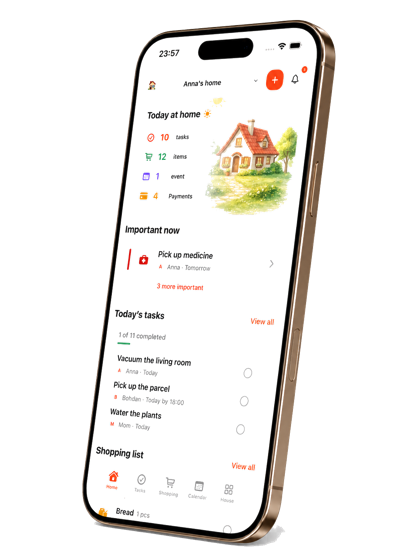
domiya brings tasks, shopping, events, and home reminders into one family space.
Manage tasks together with assignees, due dates, and priority.
Shopping updates are visible to the whole family in one shared home.
Events and important dates stay connected to home routines.
Everything important at home stays in one clear place.
Features
The essential domiya experience: tasks, shopping, calendar, home, and one shared family rhythm.
Assign, prioritize, and track tasks for the whole family.
Simple shopping lists and real-time shopping updates.
Events and important dates in one shared family calendar.
Manage your home, payments, and important reminders.
Track expenses, debts, and goals so your home can plan money decisions together instead of across scattered notes.
Save family wishes, big purchases, and dream ideas in one place, then connect them to shared planning and budgeting.
Plan meals for the home, keep cooking ideas visible, and make grocery planning easier from the same family flow.
Roadmap
Key product phases: from the first beta to the next major features shaped with families.
Website, Instagram, Telegram, and MVP beta.
Shared tasks, shopping lists, calendar, reminders, family space, paid plans, and App Store subscriptions.
Official app release with the core domiya experience.
Implementing the most requested features based on public voting.
FAQ
After registration, create a home and invite your family members. Each participant can see shared tasks, shopping, and events.
You can add items, categories, and quantities. Home members see updates and can mark purchased items.
Yes. You can sign in on a new device, but only one device stays active at a time. A new sign-in ends the previous session.
Restoration depends on the type of data and when it was deleted. Contact support for help.
Write to us through the support form or email support@domiya.app.
Yes. You can request deletion of your account and related data.